Starting digital art can be exciting but also confusing, especially when beginners face many different drawing devices with various features and prices. Choosing the right drawing tablet for beginner users is an important step because the device can directly influence learning efficiency, drawing comfort, and creative development. Whether you want to practice illustration, explore animation, or develop digital design skills, understanding essential features can help you make a better decision. This guide explains what beginners should consider before choosing their first drawing tablet.
What Drawing Tablet Should a Beginner Use?
When selecting a drawing tablet for beginner artists, the most suitable option is usually a device that balances ease of use, performance, and future learning needs. Beginners do not always need the most advanced equipment, but they do need reliable features that make digital drawing more natural. The goal of a first tablet is not only to start drawing but also to create a foundation for improving digital art skills over time.
A suitable beginner drawing tablet should provide:
· Accurate stylus control
· Comfortable working space
· Smooth drawing response
· Compatibility with creative software
· Easy setup and operation
How Does a Drawing Tablet for Beginner Users Work?
A drawing tablet for beginner creators works by converting stylus movements into digital signals that appear in drawing software. Instead of controlling a cursor with a mouse, users can create lines, shapes, and brush effects through direct pen input.
The basic working process includes:
1. The stylus detects movement and pressure changes.
2. The tablet transfers input information to the computer or display.
3. Drawing software converts these signals into digital artwork.
This process creates a more natural experience compared with traditional computer input devices. For beginners learning digital illustration, a responsive pen can help develop better control and confidence.
How to Choose a Beginner Drawing Tablet for Artists?
Choosing a drawing tablet for beginner users requires understanding the features that affect daily creative work. Beginners should focus on practical functions rather than only looking at technical specifications.
Consider Pen Performance and Pressure Sensitivity
The stylus is one of the most important parts of a drawing tablet. A good pen allows beginners to create different line weights, shading effects, and brush styles more naturally. Pressure sensitivity is especially useful for digital painting and sketching because artists can control strokes by adjusting how much force they apply.
Important pen features include:
· Pressure sensitivity
· Tilt recognition
· Low-latency response
· Comfortable grip
· Accurate tracking
Choose the Right Tablet Type
Before buying a drawing tablet for beginners, users should understand the differences between common tablet types. For many beginners, a display-based drawing tablet can provide a more familiar drawing experience because the artwork appears directly under the stylus.
| Tablet Type | Suitable Users | Main Advantages | Possible Challenges |
| Pen Tablet Without Display | Beginners who want an affordable entry point | Lightweight, easy to use, lower cost | Requires practice to coordinate hand movement with screen position |
| Drawing Tablet With Display | Beginners interested in illustration and digital painting | Direct drawing experience and better hand-eye coordination | Usually needs more workspace |
| Portable Drawing Tablet | Users who create in different locations | Easy to carry and flexible | Smaller size may limit detailed artwork |
What Features Should a Drawing Tablet for Beginner Users Have?
The right features can make learning digital drawing easier. Before purchasing equipment, beginners should carefully weigh several key factors. These features create a better foundation for beginners who want to practice digital art regularly.
| Feature | Recommended Consideration | Why It Matters |
| Pen Response | Accurate and smooth stylus tracking | Helps create natural strokes |
| Display Quality | Clear resolution and good color performance | Allows better control over artwork details |
| Working Area | Comfortable size for drawing movement | Improves drawing experience |
| Software Support | Compatibility with creative applications | Provides more learning opportunities |
| Ergonomic Design | Comfortable working position | Reduces fatigue during long sessions |
Why Is a Display Tablet Helpful for Digital Art Beginners?
Many new artists wonder whether a screen-based device is necessary. While traditional pen tablets can be effective, a display tablet offers a more direct creative workflow.
Benefits include:
· Drawing directly on the artwork surface
· Improved hand-eye coordination
· More natural sketching experience
· Easier transition from traditional paper drawing
For beginners who are used to pencils and paper, a display tablet can reduce the adjustment period and make digital creation feel more intuitive.
See also: Why Reliable Commercial Refrigeration Matters for Brisbane Businesses
Best Beginner Drawing Tablet: What Should You Consider?
When searching for the best drawing tablet for beginners, users should think about their creative goals rather than only current skill levels.
For Illustration Beginners
These features help beginners practice sketching, coloring, and digital painting techniques. Important features include:
· Accurate pen control
· Good color display
· Comfortable drawing area
For Animation and Design Learners
A suitable tablet can support users as their creative skills develop from beginner projects to more advanced work. Consider:
· Smooth performance
· Software compatibility
· Long-term usability
Product Introduction: A Suitable Option for New Digital Artists
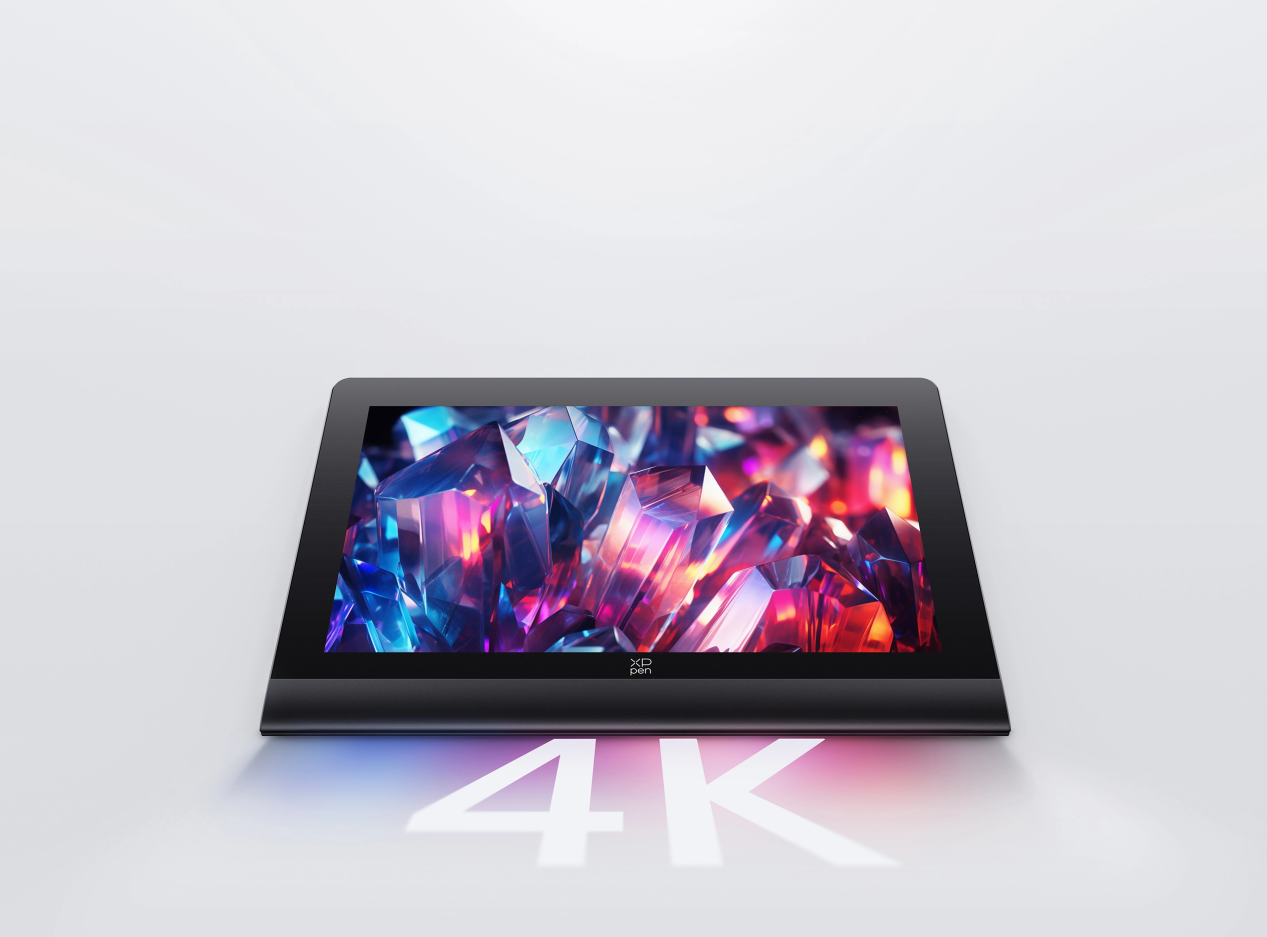
For users looking for the best drawing tablet for beginners, choosing a device with a comfortable display and responsive pen experience can make the learning process smoother. The XPPen Artist Ultra 16 is built for digital creators seeking a smooth and efficient creative experience. It features a large creative workspace, accurate stylus performance, and display technology that supports detailed digital artwork. The device is suitable for beginners who want to explore illustration, sketching, and creative design while developing their digital skills.
Tips for Beginners Starting Digital Drawing
A drawing tablet for beginner users is only a tool, and improving digital art skills still requires consistent practice. Beginners can build confidence faster by following several simple steps:
Practice Basic Drawing Exercises
These practices help users understand pen control and pressure adjustment. Start with:
· Straight lines
· Curves
· Shapes
· Simple shading exercises
Customize Your Workspace
A personalized setup can make creative work more efficient. Adjusting settings can improve comfort, including:
· Pen sensitivity
· Shortcut keys
· Brush preferences
· Screen position
Explore Different Creative Software
Exploring different creative software also helps beginners find a suitable workflow and improve digital drawing skills. A personalized setup can improve the drawing experience. Beginners can adjust:
· Pen sensitivity
· Shortcut keys
· Brush preferences
· Screen position
Final Thoughts
Choosing a drawing tablet for beginner users depends on personal goals, learning habits, and creative expectations. Beginners should focus on essential features such as pen accuracy, comfortable operation, display quality, and software compatibility. The right drawing device can make digital art learning easier and more enjoyable. Exploring options such as the beginner drawing tablet can help new creators find a suitable starting point and continue improving their creative abilities.