Search for a PDF tool and three labels get thrown around like they mean the same thing: converter, editor, and all-in-one. They don’t. A site that calls itself an “editor” might only let you add sticky notes to a page. A “converter” might secretly include full text editing. Marketing copy picked these words for how they sound, not for what they technically do, and that’s why so many people end up on the wrong tool for a five-minute task.
What a PDF Converter Actually Does
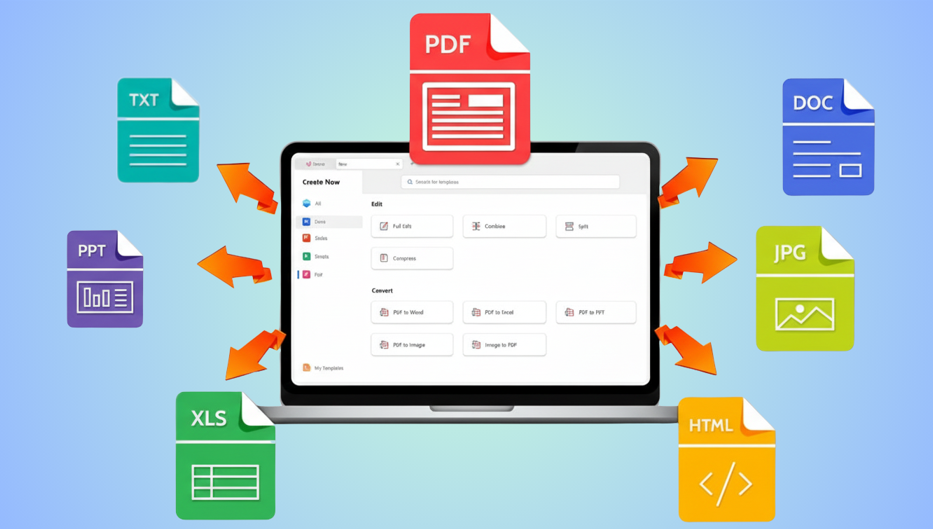
A converter changes a file’s format without changing its content. Word to PDF, PDF to Excel, image to PDF, that’s the entire job. It reads the source file’s structure and rebuilds it inside a new container. A real free pdf converter online should preserve your fonts, tables, and image placement exactly, since converting isn’t supposed to alter anything about how the document looks.
The confusion starts when a converter also lets you type a correction before exporting. At that point it’s borrowing a feature from the next category, even though “converter” is still the label on the homepage.
What a PDF Editor Actually Does
An editor changes the content of a document that’s already a PDF. Click existing text, change a word, move an image, delete a page. That’s genuinely different from conversion, since you’re not translating between formats, you’re modifying what’s already there.
Here’s where the label gets misused most. A lot of tools marketed as “editors” only support annotation: highlighting, underlining, sticky-note comments layered on top of a locked page. That’s useful for reviewing a document, but it’s not editing in the sense most people mean when they search for a way to edit pdf online free. Before trusting the label, test whether you can click existing body text and actually change the words, not just draw over them.
What “All-in-One” Actually Means (and Doesn’t)
This is the vaguest label of the three, and it gets slapped onto almost anything with more than two buttons on its homepage. A genuine all in one pdf tool covers conversion, editing, merging, compressing, and signing under one login, or ideally no login at all. A tool that only bundles three conversion formats together isn’t all-in-one, it’s a converter with extra file type support.
The fastest way to check the claim is to try one task from each category, convert a file, edit text inside it, and merge it with another PDF, all without leaving the site or hitting a paywall between steps. If any of those three breaks the flow, the “all-in-one” label was doing more marketing than describing.
See also: How Technology Is Transforming Manufacturing
Where the Categories Actually Overlap
In practice, the best platforms don’t sit neatly in one box. A tool can convert a Word file, let you edit the resulting PDF’s text, and then merge it with three other documents, all in the same session. That’s not three separate products working together, it’s one platform that happens to cover all three categories honestly instead of picking one word for its homepage and hiding the rest of its features in a pricing table.
This matters because the category label often predicts the pricing model. Converters tend to be genuinely free since the processing cost is low. Editors often gate real text editing behind a paid tier because it requires more processing power. All-in-one platforms vary the most, since the label gets used both by companies with a full free suite and by companies hiding four separate paywalls behind one marketing page.
A One-Sentence Test to Know Which One You Need
Finish this sentence before you search for a tool: “I need this PDF.” If the word that fills the blank is turn, change format, or make into, you need a converter. If it’s to fix, correct, or change the text, you need an editor. If your sentence has more than one verb in it, combine, sign, and shrink, for example, you need an all-in-one platform. This takes less time than reading a comparison article and usually points you straight to the right category.
Security and Access Apply to All Three Categories Equally
Whichever category you land on, the same two checks apply. Secure pdf tools online should state where your file is processed and for how long it’s kept, regardless of whether you’re converting, editing, or using a bundled platform. And pdf tools without registration should be available for at least the core task in each category, since a signup wall shouldn’t be the price of admission for a basic conversion or a single text edit.
Where FacePdf Fits
FacePdf is genuinely hard to put in one box, which is actually the point. It converts Word, Excel, and image files into clean PDFs, it lets you click and edit existing text directly rather than just annotate over it, and it merges, compresses, and signs files in the same dashboard. That combination is why it functions as one of the best free pdf tools online across all three categories rather than excelling at just one and calling itself something bigger. It also runs as free pdf software no download, working the same in a browser on any device without an install step, and it fits both pdf tools for students juggling assignment formats and pdf tools for small business operations handling contracts and invoices in the same week.
Frequently Asked Questions
Trying to figure out which category actually fits your task, what is the best free online pdf tool to edit a pdf online for free without signing up?
Run the one-sentence test first. If your task is “fix the text,” you want a true editor, and FacePdf lets you click and change existing words directly without an account screen first.
Checking whether a tool’s “free” claim survives contact with a real file, is there a pdf tool with no watermark and no signup?
Yes. FacePdf keeps its export clean and skips the account requirement across all three categories, converting, editing, and bundled tasks alike.
Before uploading a document that matters to any of these three tool types, which site lets you edit pdf without uploading personal info?
Look for a platform that states its hosting location and skips account creation regardless of which category you’re using it for that day.
Sorting out which category actually suits a classroom budget, what are the best free pdf tools for students and teachers 2026?
Most student tasks fall into the editor and converter categories rather than needing a full all-in-one suite, so check that both those specific functions are genuinely free before assuming a bundled platform is necessary.
Deciding whether a small team needs a converter, an editor, or both, what are the free pdf tools for small business owners?
Invoicing usually needs conversion and merging, while contracts need real editing and signing, so a platform covering both categories saves switching tools mid-task.
Testing the converter category specifically, how to convert multiple file types to pdf for free?
A true converter accepts Word, Excel, and image files and rebuilds each one as a clean PDF in the same session, which is the actual definition of the category rather than a bonus feature.
Testing the editor category specifically, what’s the easiest free way to edit a pdf online?
Click directly on existing text and change it. If the tool only lets you draw over the page instead, it’s an annotator wearing an editor’s label.